VWorld Self-Service Withdrawal Tutorial
Follow the illustrated steps below to self-service withdrawal on VWorld (vworld88my.com) in just a few taps.
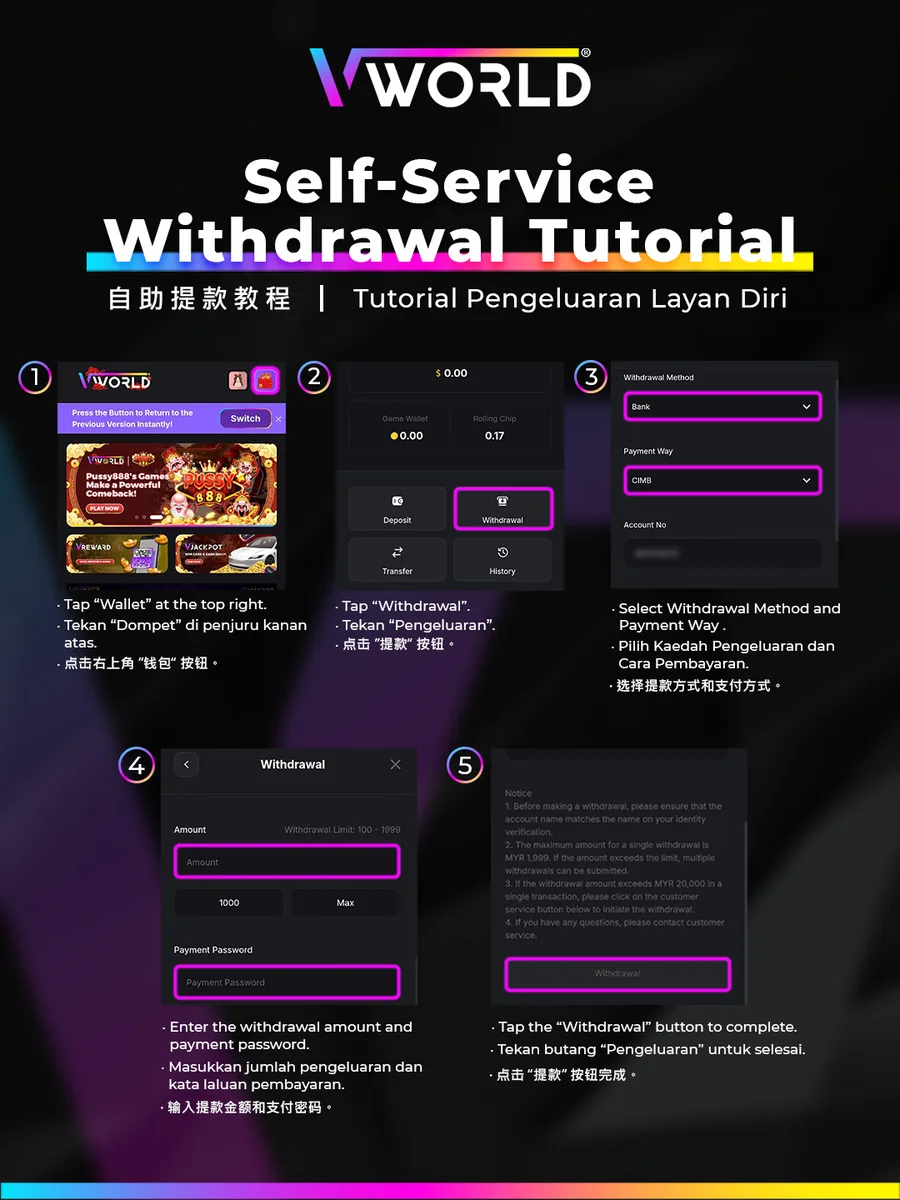
Step-by-Step
- Tap “Wallet” at the top right.
- Tap “Withdrawal”.
- Select the Withdrawal Method and Payment Way (e.g. Bank → CIMB).
- Enter the withdrawal amount and your payment password.
- Tap the “Withdrawal” button to complete.
Single withdrawal max is MYR 1,999 by default; larger amounts can be split or done via CS.