VWorld E-Wallet Top-Up Tutorial
Follow the illustrated steps below to e-wallet top-up on VWorld (vworld88my.com) in just a few taps.
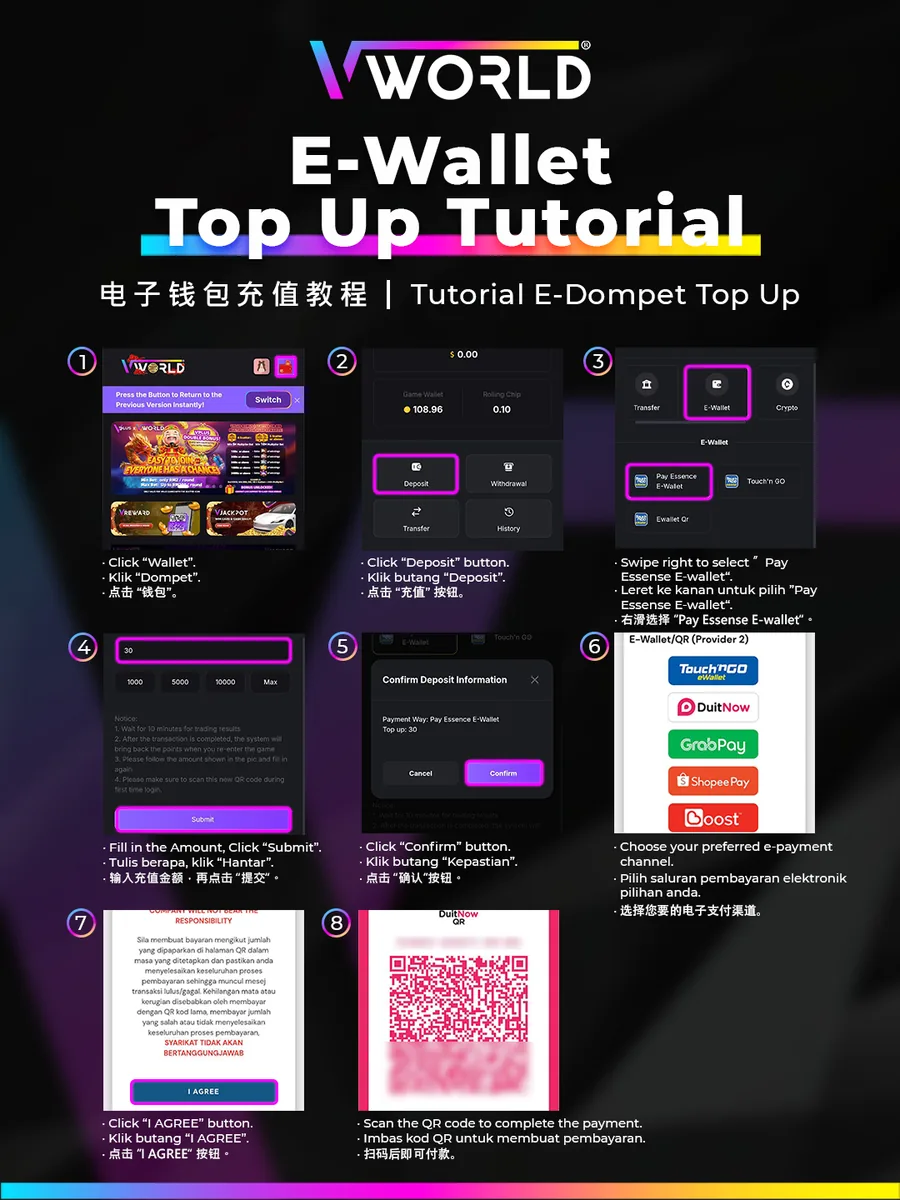
Step-by-Step
- Tap “Wallet”.
- Tap “Deposit”.
- Swipe to “E-Wallet” and select “Pay Essence E-Wallet”.
- Fill in the amount and tap “Submit”.
- Tap “Confirm”.
- Choose your e-payment channel (Touch ’n Go, DuitNow, GrabPay, ShopeePay or Boost).
- Tap “I AGREE”.
- Scan the QR code to complete the payment.