VWorld Self-Service Top-Up Tutorial
Follow the illustrated steps below to self-service top-up on VWorld (vworld88my.com) in just a few taps.
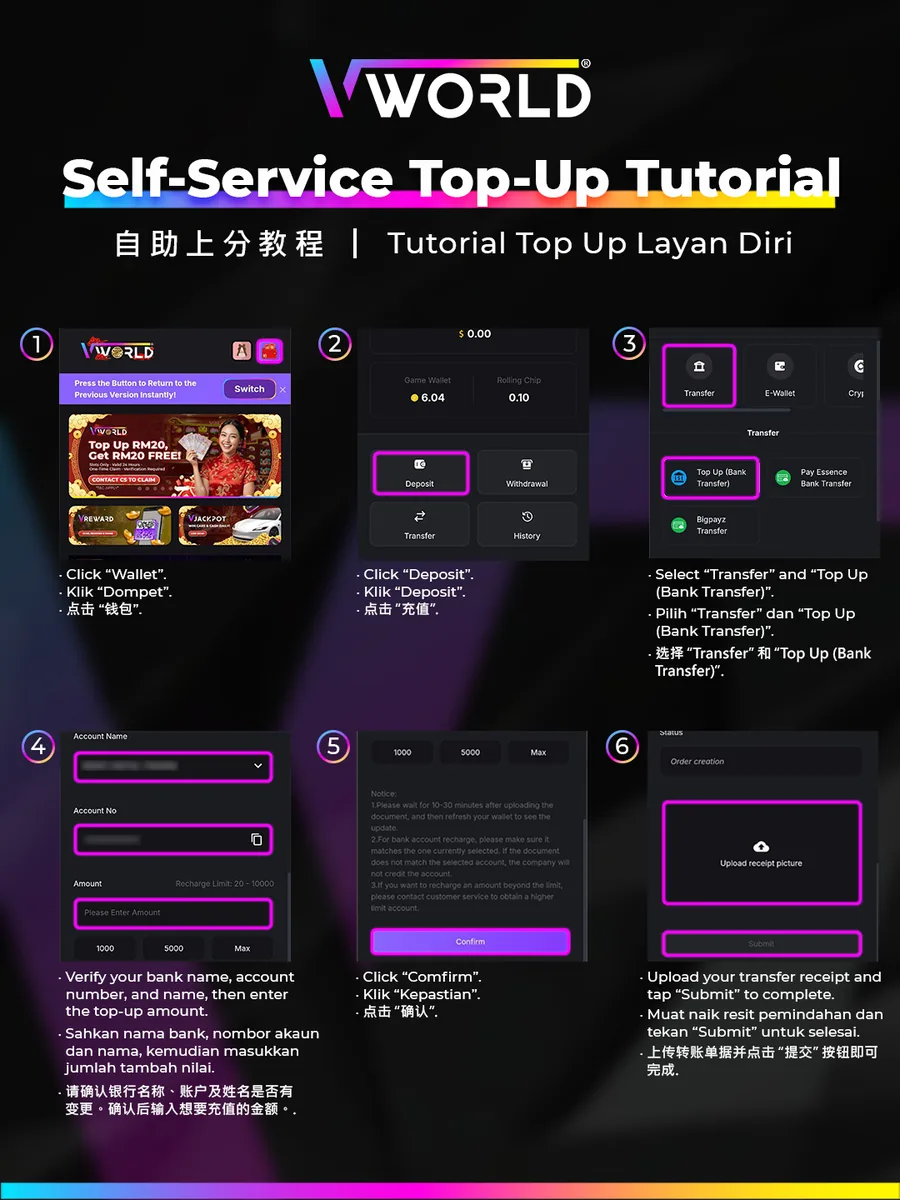
Step-by-Step
- Tap “Wallet”.
- Tap “Deposit”.
- Select “Transfer”, then “Top Up (Bank Transfer)”.
- Verify the bank name, account number and account name, then enter the top-up amount.
- Tap “Confirm”.
- Upload your transfer receipt and tap “Submit” to complete.
Make sure the account you transfer to matches the currently selected one.