VWorld Touch ’n Go Top-Up Tutorial
Follow the illustrated steps below to touch ’n go top-up on VWorld (vworld88my.com) in just a few taps.
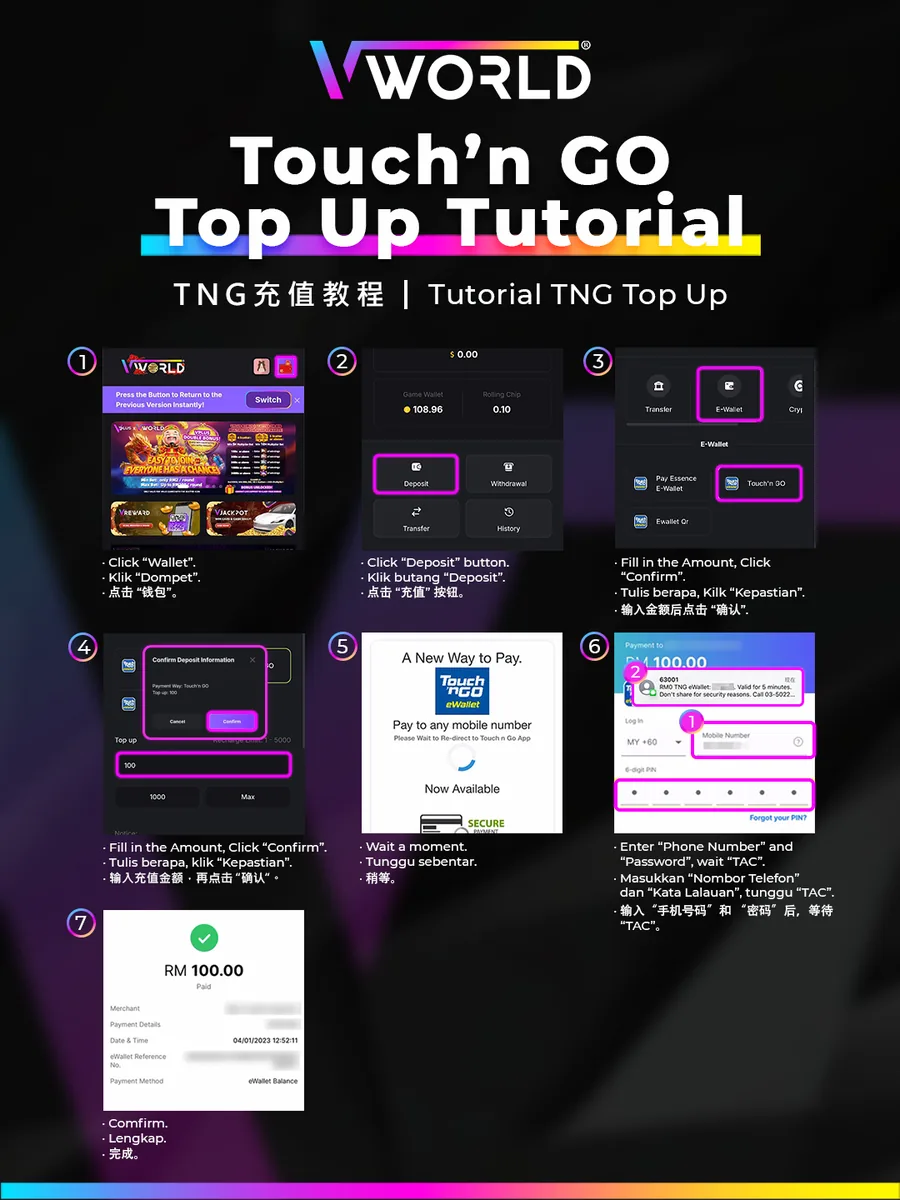
Step-by-Step
- Tap “Wallet”.
- Tap “Deposit”.
- Swipe to “E-Wallet”, select “Touch ’n GO”, enter the amount and tap “Confirm”.
- Confirm the deposit information.
- Wait to be redirected to the Touch ’n Go app.
- Enter your phone number and PIN, then wait for the TAC.
- Confirm — your payment is complete.